Following the installation of Debian 12 on the Steam Deck, we are now going to backup the SD Card content into a rescue image : the idea is to be able to recover and duplicate the whole running system easily without having to re-install again if needs be.
There are at least two ways to achieve this :
- using the dd tool from the command line,
- relying on gnome-disk-utility GUI to create a disk image.
Using dd command line tool to create a disk image
Since I am making an image of an SD Card mounted at /dev/mmcblk0 and wish to create an image named "steamdeck-debian-repair-20240818.iso", the command line I am using for this purpose is the following:
$ sudo dd status=progress if=/dev/mmcblk0 of=./steamdeck-debian-repair-20240818.iso bs=1M
$ sync
Executing this as root with sudo allows us to read from mmcblk0 device indeed and create an iso from its content.
Conversely, restoring such an image shall be a matter of:
$ sudo dd status=progress if=./steamdeck-debian-repair-20240818.iso of=/dev/mmcblk0 bs=1M
$ sync
Using gnome-disk-utility GUI to create a disk image
As an alternative, if you are using the GNOME desktop environment, you may as well rely on gnome-disk-utility (simply called "Disks" on the desktop) to the same extent:
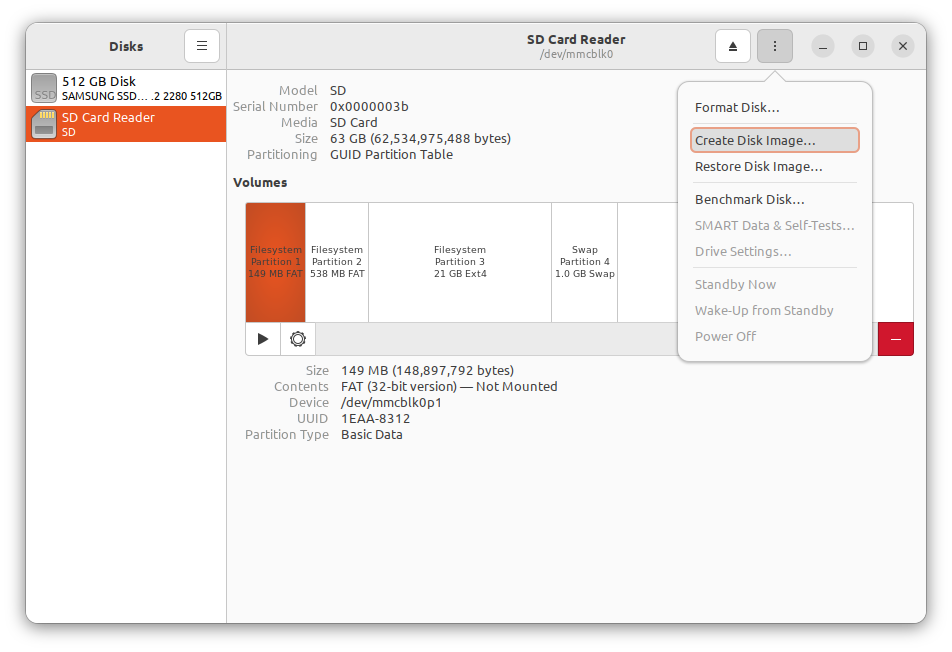
Choose "Create Disk Image" from the menu...
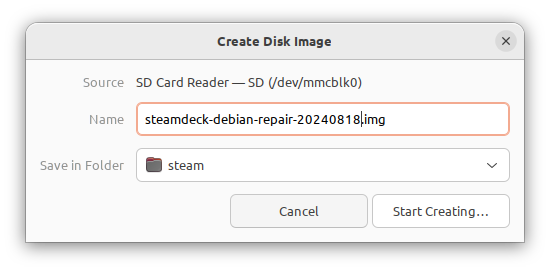
Name your image accordingly...
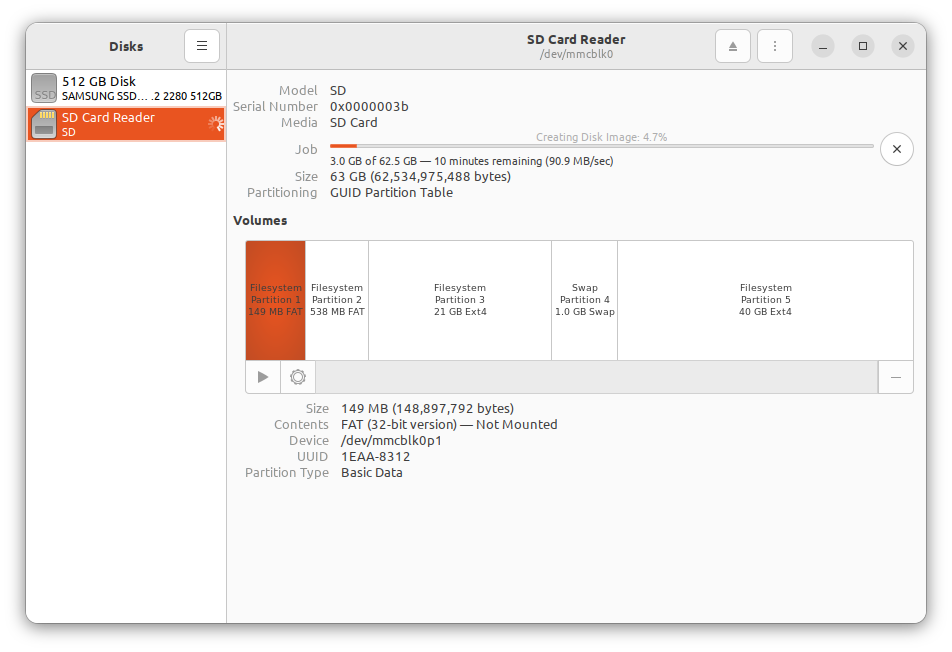
And wait for the process to complete.
Once you have your image file, restoring from it is as simple as double-clicking on the file to launch "Disks":
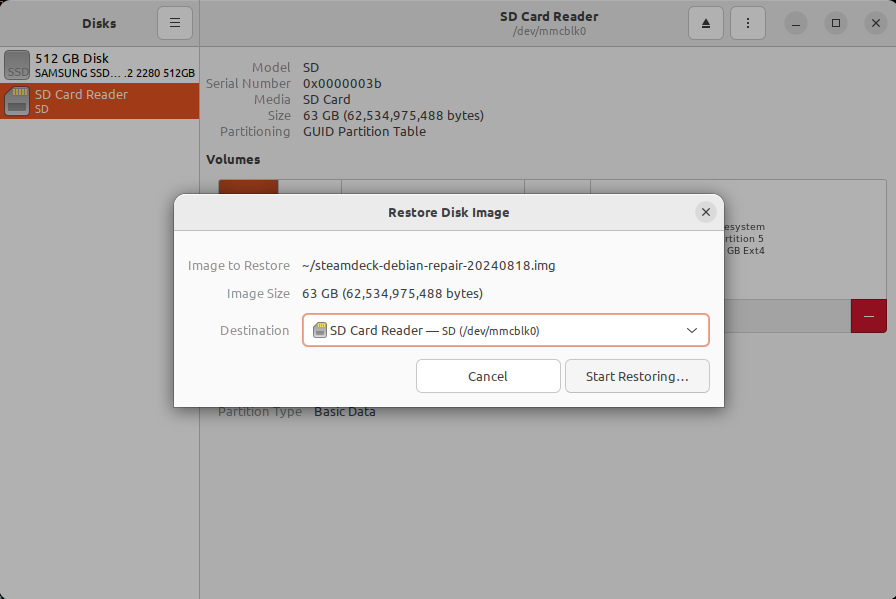
In my experience, creating a backup image of the 64GB SD Card takes around 12 minutes with both methods.
You now have the choice either way.
Comments