I posted "Pixel 5, Sweet 16" a few days ago to announce the release of Android 16 by way of my custom ROM of choice, Evolution X.
It may have gone unnoticed, but there was no such release for Pixel 4a at the time.
Even though I was able to make some adaptations and build an image for the device, flashing the image and trying to boot it resulted into infinite loops of boot process (aka. boot-loop), only halted by automatic restarts.
Knowing that LineageOS sources for Android 16 (on which Evolution X is based) haven't been released yet, this kind of issue was to be expected at some point : by trying to do some adaptations ahead of time, I am inevitably facing some early barriers to make things work.
What were those issues, you may ask : some I knew from experience, and others I was introduced to. Let's go over both.
The devil I know
First was some Framework Compatibility Matrix issues : I wrote about those in an article detailing this trouble during 10.8 release.
Then was a Linux kernel compilation breakage for which I had to backport the fix. The culprit here is 'struct sched_param', a well known type in POSIX APIs exposed by the kernel for userspace applications.
Problem is this particular type is also defined by glibc, so any attempt to build some code that includes a compilation unit with that type from both glibc and the kernel will result in
error: redefinition of ‘struct sched_param’
Again, the issue is known at this point in time so I ported a work-around from the Linux kernel community to fix it.
Apart from these minor hiccups, I also faced tricky new ones.
The devil I don't
As said in introduction, the image I obtained after solving some build errors was boot-looping.
Little did I know about the importance of Security-Enhanced Linux (SELinux in short) in the Android kernel boot process before getting to this point.
SELinux is a framework in the kernel that allows enforcing access control security policies for hardware and software components on the system.
It basically says if a component is allowed to function or run on the system, and to which extent it can do so.
For instance the camera service may be allowed to run while being restricted from accessing properties from the display, which may have an impact for that service to change display calibration when taking pictures or video. Some other sensors may also not be permitted to create specific specific file types (eg. socket or fifo), thus preventing access to certain modes of operation.
Simply put, SELinux not only has an invisible impact on user experience but it can also hinder the boot process if the combination of those policies result in an incoherent state for the device to function properly.
Not having a complete picture of all services and policies that need to be set, I guess that was the case I fell into due to some major changes introduced with Android 16 ; it is a major release after all.
If you are curious about the fixes I had to apply to make it work, take a look at some of the SELinux changes in my GitHub repository. If you want to know more about SELinux, Lineage has a nice "Working with SELinux on Android" article on their blog.
Last but not least, was an ABI breakage uncovered once SELinux policies were better suited for the device at hand.
out/soong/.intermediates/vendor/google/sunfish/libsecureuisvc_jni/android_arm64_armv8-a_shared/libsecureuisvc_jni.so: error: Unresolved symbol: _ZTVN7android21SurfaceComposerClient11TransactionE
out/soong/.intermediates/vendor/google/sunfish/libsecureuisvc_jni/android_arm64_armv8-a_shared/libsecureuisvc_jni.so: note:
out/soong/.intermediates/vendor/google/sunfish/libsecureuisvc_jni/android_arm64_armv8-a_shared/libsecureuisvc_jni.so: note: Some dependencies might be changed, thus the symbol(s) above cannot be resolved.
out/soong/.intermediates/vendor/google/sunfish/libsecureuisvc_jni/android_arm64_armv8-a_shared/libsecureuisvc_jni.so: note: Please re-build the prebuilt file: "out/soong/.intermediates/vendor/google/sunfish/libsecureuisvc_jni/android_arm64_armv8-a_shared/libsecureuisvc_jni.so".
I was faced with a new compilation error while building some obscure library that was now being pulled into the system : I infer it was a dependency that was not added until this stage, due to prior roadblocks.
The library in question was part of the Wi-Fi Direct (aka. WFD) service, and it was missing some even more obscure symbol that was obviously needed now. Problem is the library was shipped as a binary module, with no source code to be found.
Luckily for me it was being loaded into another component written in C++ for which sources were readily available. The idea to work around the problem was to write a weak definition of the missing symbol, hoping that it will not result in a severe drawback at runtime.
After all, WFD service is one of the cornerstone of features like peer-to-peer wireless sharing and screen casting in Android ; here goes hoping those features will not be hindered on the Pixel 4a because of this.
Once again, you can have a look at the weak implementation for the missing symbol here. And here are interesting reads on Wi-Fi Direct protocol and some of its use in Android.
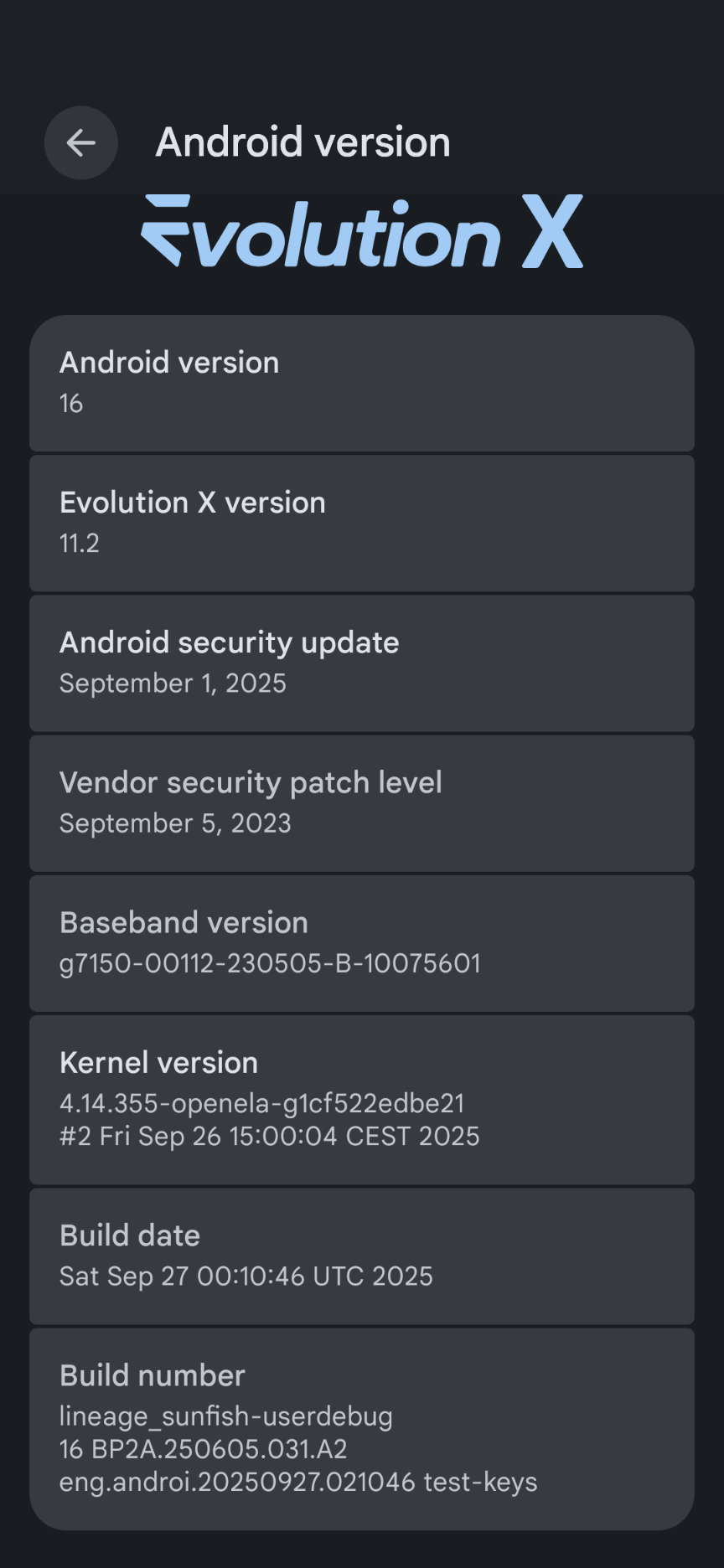
All is said and done, but it would not have been possible without some specific Android debugging tools.
Better to have it and not need it
My Pixel 4a is a finished commercial product, not an engineering sample or development board : having a kernel that is not booting in that case can be difficult to resolve.
Android comes with useful tools for this kind of situation, and two of them I happily abused was Android Debug Bridge (ADB) and logcat.
For future reference here are a useful "Android debugging crash course" and an overview of "how to take logs on Android".
ADB is a client-server application allowing the user to connect to a device and fetch/push data from/to it. In a production environment (once the phone leaves the factory) the server is disabled for obvious security reasons, but to work on a custom ROM one need to enable it to replace the stock operating system in the first place.
Logcat is the equivalent of Linux syslog, granting access to aggregated system logs with some filtering capabilities to display information related to a chosen process (eg. filtering all SELinux logs without having the noise from other processes in between).
As a consequence, to work on the all the issues described before, I built an engineering image with the debugging tools I needed for the task at hand, with ADB server running during the boot process to have an early entry point into the system.
From that point on, it was a matter of reading kernel and system logs to find some clues, with patience being a key for success :-).
Comments